
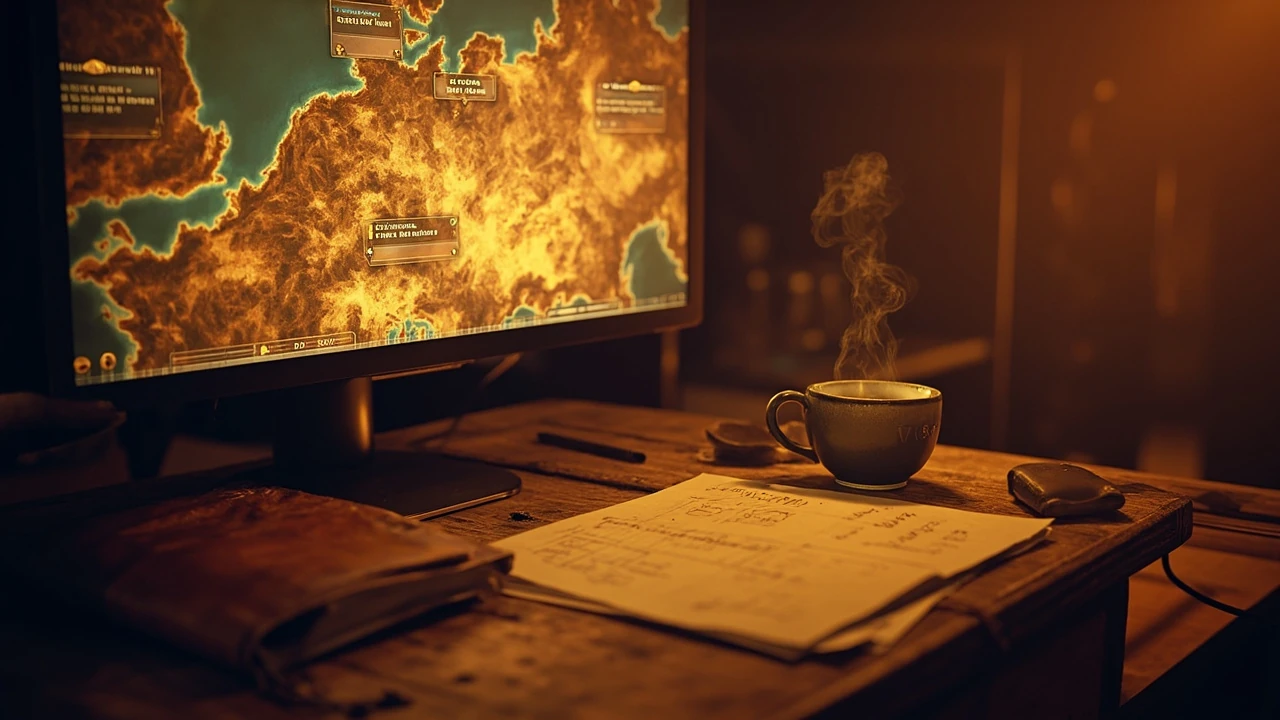
Clair obscur expedition 33 update: what patch 1.5.0 really brings to the game
Sandfall Interactive has shipped a free content update for Clair Obscur: Expedition 33, rolled out as patch 1.5.0 and nicknamed the Thank You update. The build arrived without the usual pre-release countdown, which made the patch notes a talking point on launch day and pushed many players straight back into Lumiere to test what is new. This article focuses on what is verified about the Clair obscur expedition 33 update, what players are reporting on social feeds and community hubs, and how to read between the lines of the official notes so you can plan your next run.
Unlike a traditional expansion, the 1.5.0 build behaves more like a post-launch content drop. It is free, it is delivered through the same launcher you already use, and it mixes new systems with balance changes that touch nearly every part of the game. If you are returning to the title, the practical questions are simple: what changed, does it affect an existing save, and is there anything you should do before installing.
What Sandfall actually shipped in the 1.5.0 update
The single most useful primary source for this page is IGN’s patch 1.5.0 breakdown, which describes the build as a “content-filled free update” and labels it the Thank You update. The article frames the patch as a way for Sandfall to “give back” to a player base that supported the studio during launch, and it explicitly positions the build as a content drop rather than a paid expansion. Treat that framing as the editorial baseline, then cross-check individual additions against the in-game patch notes on your platform.
Because the studio shadow-dropped the patch, the official change list is shorter than you would expect for a build this large. Independent coverage and community write-ups fill in the details, but those secondary sources should be read as reports, not as facts, until the studio confirms a specific number, item, or feature.
How to think about the Thank You update as a player
The label “Thank You update” signals three things at once. It says the build is free, it signals appreciation to existing owners rather than a marketing push to new players, and it previews the studio’s post-launch cadence. None of those promises guarantee future content in the same shape, but they do tell you how Sandfall is positioning the 1.5.0 build relative to the rest of the roadmap.
Highlighted content additions players are reporting
The headline additions most players noticed in the 1.5.0 build are new activities rather than mechanical overhauls. If you are coming back for a second playthrough, these are the systems that justify the reinstall.
New boss encounters and a challenge layer
Community coverage describes a new boss encounter that has been added to the existing world, alongside an optional challenge layer that escalates enemy stats and behavior. Treat exact stat modifiers as community-reported until you see them in your own patch notes; the only verified point is that the addition exists and is accessible from existing fast travel points.
For a turn-based RPG with timing-based parry mechanics, a new challenge layer is meaningful because it changes the resource economy of every fight. Healing items, Chroma Elixirs, and Pictos stacks are tested in a different way when enemy damage and aggression scale upward, and that often exposes builds that felt safe in the base game.
Additional late-game content for finished saves
Patch 1.5.0 is reported to add a new late-game path for players who have already completed the main story. Because the build is free, this is the practical reason to come back if you closed the book on the ending credits a few weeks ago. A late-game path is also useful for trophy and achievement hunters, since new activities often pair with new unlock conditions.
Quality-of-life and balance changes
Quality-of-life and balance work is the second pillar of the 1.5.0 build. While the studio has not published a full line-by-line changelog at the time of writing, independent coverage points to smoother inventory management, refinements to the photo mode, and tuning around some of the most-used Pictos and Luminas. Those adjustments are the kind of work that does not grab headlines but does change day-to-day play.
Confirmed versus reported: how to read the patch
Because Sandfall shadow-dropped the build, the line between “confirmed” and “reported” is unusually sharp. The table below breaks down what is safe to repeat as fact, what should be hedged, and what is simply community observation. Use it as a reference when you read other write-ups of the 1.5.0 update.
| Claim | Source type | Confidence | How to verify yourself |
|---|---|---|---|
| Patch 1.5.0 is live and free for all owners | Official launcher, studio post | High | Check your platform’s update history and the in-game title screen version |
| Build is nicknamed the Thank You update | Studio post, IGN patch coverage | High | Look for the patch name in the launcher and on the official site |
| New boss encounter added | Community reports, early access coverage | Medium | Walk the relevant zone in your save and check fast travel destinations |
| Optional challenge layer scaling enemy stats | Community reports | Medium | Look for a new toggle in the settings or the pause menu |
| New late-game content for finished saves | Community reports | Medium | Reload a completed save and check new map markers or NPC dialogue |
| Specific balance numbers (damage, cost, scaling) | Datamines, community calculations | Low until confirmed | Compare before and after values in your own save and read the official notes when posted |
Where a row says community reports, the safest reading is “likely, but wait for the studio to confirm before you build a guide around it.” Where it says datamines, treat the numbers as a working hypothesis rather than as ground truth.
Installing the update without losing your save
For additional context, Most modern RPGs treat post-launch patches as additive, but it is still worth being methodical. Before you trigger the 1.5.0 download, work through this short checklist so you are not the person who discovers a cloud sync issue at the worst possible moment.
- Confirm the build version on the title screen before you start the update, so you can prove a rollback if anything goes wrong.
- Sync your save to the platform cloud if the option exists. On PC, copy your user profile folder to a safe location before launching the new build.
- Note the platform region and store region for the account that owns the game, because cross-region patching has historically caused download failures on console storefronts.
- Check your storage headroom. A 5 to 15 GB free buffer is a sensible rule of thumb for a free content drop of this size.
- Read the in-game patch notes screen once before you start a new session, since some systems are gated behind a one-time acknowledgement.
If you play on PC through Steam, verify the build ID in the updates pane. If you play on console, force the update from the game management screen rather than relying on idle downloads, and avoid opening the game until the install completes. That small discipline prevents a corrupted cache, which is the most common cause of “the new content is not showing up” reports.
Performance and stability notes for the 1.5.0 build
Sandfall’s combat design combines turn-based decision making with a real-time dodge and parry system, which means that any change to enemy behavior, hitbox, or animation timing can feel like a balance pass even if the underlying number is unchanged. Players who stream the title have reported short stutters during the first 30 to 60 seconds of certain boss fights on mid-range hardware. That is consistent with shader pre-compilation and is not in itself evidence of a regression, but it is worth noting if you are recording footage.
From a development perspective, the pattern is also a useful reminder that any free content drop carries an implicit cost on the engine side. New enemy animations, new VFX for abilities, and new lighting passes all have to be cached, streamed, and unloaded correctly. If you are running the game on older drivers or a handheld device, the safest move is to update your graphics driver and verify the game profile, then start a fresh session rather than a quick resume.
Quick troubleshooting if the patch misbehaves
When players hit problems after a shadow-dropped patch, the cause is almost always one of four things. Work through them in order, because the first two fix most cases without a full reinstall.
- Restart the launcher or client fully, including any background services, then re-launch the game.
- Verify the integrity of the game files on your platform. On PC this is usually a right-click option in your library; on console it is a “verify installation” toggle in the management menu.
- Clear the platform’s local cache for the title, then re-download only the patch rather than the full game.
- If none of the above resolve the issue, back up your save and perform a clean reinstall, restoring the save only after the new build is fully installed.
None of these steps are exotic. They are the same recovery path that a producer or QA lead would ask you to take if you filed a support ticket, and they tend to fix the bulk of post-patch complaints without further intervention.
How the 1.5.0 update changes the recommended progression
For a single-player RPG, a free content drop rarely invalidates an existing playthrough, but it does shift the order in which you should approach activities. The 1.5.0 build is no exception. If you want to experience the new content in a sensible order, the practical approach is to start from your most recent save, regardless of where you are in the main story, and let the new markers guide you. The game has historically been good at gating late-game additions behind a soft check on your average party level, so you should not need to grind before the new paths open up.
If you are starting fresh, the better question is whether to play the original release state or the patched state. Because the 1.5.0 update is additive, a new save on the patched build should let you reach the new content as soon as you meet the level and story conditions. There is no known reason to roll back to 1.0 for a first playthrough unless you are specifically trying to benchmark balance.
Choosing a party for the new content
Without confirmed boss mechanics, the safe bet is to bring the same balanced party you would use for any hard encounter. For most players that means a frontline damage dealer, a support or healer, and a flexible third slot that can adapt to elemental weaknesses. If you have been running a high-damage glass cannon build through the main story, treat the new content as the moment to swap in a tankier option so you can learn enemy patterns before optimizing again.
What the 1.5.0 update tells us about the studio’s roadmap
Reading a single patch in isolation is risky, but reading it as part of a pattern is more useful. Sandfall has now demonstrated three post-launch behaviors: a balance pass, a small QoL update, and now a free content drop. That sequence is the kind of curve you would expect from a studio that wants to keep an active community without committing to a full expansion cycle. Independent reporting on the studio’s pipeline points to a smaller team than the launch hype suggested, which is consistent with a content cadence built around targeted drops rather than yearly sequels.
For a GameDev reader, the interesting part is less the new boss and more the production logic behind it. A free content drop is essentially a small vertical slice with the cost of a polished trailer. It needs new art, new animation, new VFX, new audio, new localization, and a quality pass on every system it touches, all without generating new revenue. The fact that Sandfall chose to ship it that way is itself a signal of how the studio expects to monetize or grow the title going forward.
Practical checklist before and after you install
Use this condensed table to plan the install and the first session. It is deliberately short because a checklist is only useful if it fits on a sticky note next to your screen.
| Step | When | Why it matters |
|---|---|---|
| Back up the save locally | Before the update | Protects against a failed patch wiping cloud-synced progress |
| Confirm free disk space | Before the update | Prevents a partial install that triggers a full redownload |
| Read the in-game patch notes | After the update | Catches any one-time acknowledgement that gates new content |
| Update GPU drivers | After the update | Reduces first-fight stutter from new shader passes |
| Test a short encounter | After the update | Validates that combat, audio, and UI behave as expected |
| Report reproducible bugs | If issues appear | Helps the studio triage the next hotfix without guessing |
Once the checklist is complete, the rest of the session is the same as any other: pick a save, follow the new marker, and see whether the build matches the description you read before installing.
Frequently asked questions
Is the Clair obscur expedition 33 update free?
Yes. Patch 1.5.0 is a free content drop for everyone who already owns the base game, distributed as a regular launcher update rather than a paid DLC. You should not need to enter a new key, redeem a code, or buy a separate edition to receive it.
What is the Thank You update?
It is the studio’s nickname for the 1.5.0 build. The label signals that the patch is Sandfall’s way of thanking players for their support during launch, and it is used consistently across the official channels and the launch-day coverage. Treat the nickname as a label rather than a separate piece of content.
Do I need to start a new save to access the new content?
No. Existing saves are compatible with the 1.5.0 build. New activities are unlocked by reaching the relevant story or level thresholds, so an in-progress save that meets the conditions will simply have the new options appear. A new save is only useful if you want to experience the patched version of the opening hours.
Does the update change difficulty or balance?
Players and outlets have reported balance adjustments to commonly used Pictos, Luminas, and enemy stats, alongside the new optional challenge layer. Exact numbers are still being verified, so treat community damage calculations as a guide rather than as definitive until Sandfall publishes an official breakdown.
Will the 1.5.0 update break my mods?
On PC, any mod that hooks into a system Sandfall touched in 1.5.0 will likely need an update from its author. Disable mods before installing the patch, confirm the base game still works as expected, then re-enable them one at a time so you can identify the one that misbehaves. This is the same workflow you would use for any major post-launch patch.
Are trophies or achievements tied to the new content?
New activities in post-launch drops usually come with new unlock conditions, but the full trophy list for the 1.5.0 build is not always published on day one. The safest way to find out is to look at the in-game achievements tab after installing, or check your platform’s achievement metadata once it refreshes.
Will there be more updates after 1.5.0?
Sandfall has not publicly committed to a specific roadmap beyond the Thank You update. The studio’s post-launch cadence so far suggests that smaller balance and QoL patches are likely, while a larger content drop of the same shape as 1.5.0 is plausible but not confirmed. For the most reliable signal, watch the official channels rather than community wishlists.
What should I do if the new boss is too hard?
First, check your Pictos and Luminas, since the new content is often tuned for builds that lean on specific synergies. Second, revisit your party composition and bring a dedicated healer if you have been running a glass cannon. Third, look for a community guide to the encounter, but be cautious about claims that are not backed by an in-game source.
Can I roll back to the pre-1.5.0 version?
Most platforms keep the previous build available only briefly after a major patch, and a clean rollback is rarely supported. The realistic options are to keep your pre-patch save backed up locally and wait for a future hotfix if the build breaks something you care about, rather than to expect a one-click downgrade.
Where can I read the official patch notes?
The official notes live on the studio’s site and inside the launcher, alongside the title screen version number. Use those as the primary source for any claim you plan to repeat, and treat third-party write-ups as summaries rather than as canonical documentation. The IGN patch 1.5.0 breakdown is a good companion to the studio’s own notes, especially for players who prefer a video summary.

Leave a Reply